Chuyển đến nội dung chính
General & Website
How to enhance your background with the new Magic Background feature

How to enhance your background with the new Magic Background feature

The Magic Background feature in the remove.bg editor lets you create high-quality, AI-generated backgrounds that blend seamlessly with your subject. Instead of just replacing the background, it builds a custom scene that takes into account your image’s perspective and colors, so the final result looks realistic and professional. There’s no need to write prompts—just a few clicks, and the AI handles the rest.

Where to find the Magic Background feature

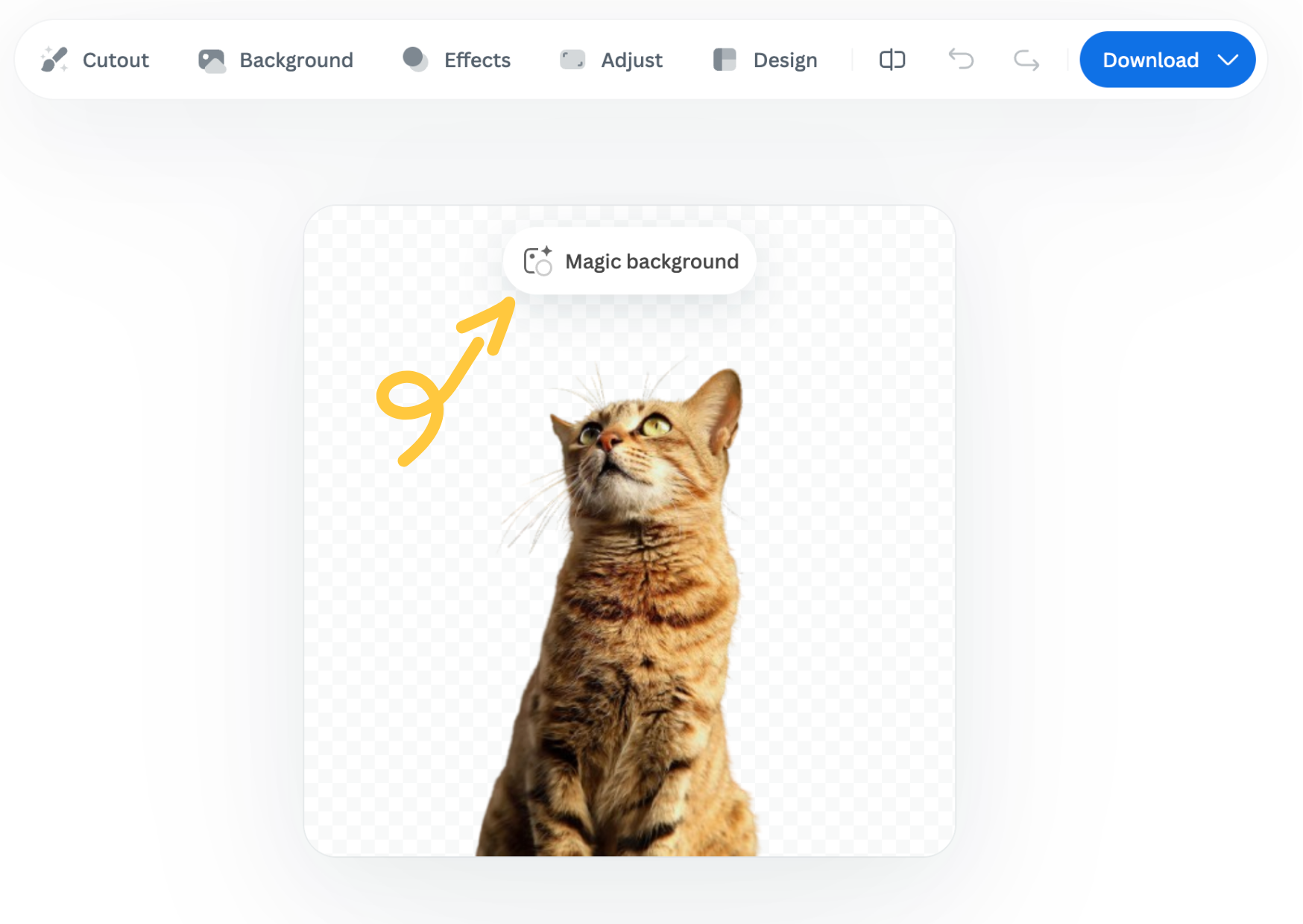
You can find the Magic Background feature after uploading your image to remove.bg

  1. Upload your image.

  2. In the editor window, click “Magic background” to start using the feature.
How to use it

  1. Pick an inspiration: Choose a background style from the available presets. This will be used as a starting point for your scene.

  2. Click “Generate background”: The AI analyzes your image and creates a background that fits your subject in terms of depth and color. Each match costs one credit.

  3. Want a different variation? Click “Generate again” to generate a new version based on the same background inspiration.

  4. Once you're happy with the result, you can download a free preview (up to 0.25 megapixels) or spend 1 credit to download the HD version.

Important notes

  • Each background generation costs 1 credit.

  • The Magic Background feature is currently available only in the remove.bg web editor.

  • Magic Background is currently in beta, and we welcome your feedback to help improve the tool. Let us know what you think!

Was this article helpful? Yes No
Thanks for your feedback.
  • Tìm hiểu thêm

  • Tất cả các tính năng
  • Nhiếp ảnh gia
  • Marketing
  • Nhà phát triển
  • Thương mại điện tử
  • Truyền thông
  • Đại lý ô tô
  • Doanh nghiệp
  • Câu chuyện thành công
  • Công cụ và API

  • Tài liệu API
  • Tiện ích tích hợp, công cụ và ứng dụng
  • Tiện ích mở rộng Photoshop
  • Windows/Mac/Linux
  • Ứng dụng Android
  • Mẫu thiết kế
  • Hỗ trợ

  • Trợ giúp và Câu hỏi thường gặp
  • Liên hệ với chúng tôi
  • Hoàn tiền
  • Trạng thái nền tảng
  • Tài nguyên
  • Công ty

  • Blog
  • Chương trình liên kết
  • Tạo thiết kế tự động
  • Xóa nền video
  • Tuyển dụng
  • Giới thiệu về chúng tôi
  • Báo chí & quan hệ đối tác

© remove.bg, a Canva Austria GmbH brand

  • Điều khoản dịch vụ
  • Điều khoản và điều kiện chung
  • Chính sách quyền riêng tư
  • Chính sách cookie
  • Imprint

Cảm ơn bạn đã phản hồi!

Bạn muốn giúp chúng tôi cải thiện? (không bắt buộc)

  • Hãy đóng góp hình ảnh này và giúp chúng tôi cải thiện remove.bg
  • Đào tạo trí tuệ nhân tạo
  • Nhận kết quả tốt hơn cho các hình ảnh tương tự trong tương lai
Chọn nếu bạn muốn chúng tôi sử dụng hình ảnh này để cải thiện chất lượng.
Chọn nếu bạn KHÔNG muốn chúng tôi sử dụng hình ảnh này để cải thiện chất lượng.

Hình ảnh của bạn sẽ được sử dụng để cải thiện remove.bg trong tương lai.

Hình ảnh của bạn sẽ KHÔNG được sử dụng để cải thiện remove.bg trong tương lai.