Ana içeriğe atla
General & Website
How to enhance your background with the new Magic Background feature

How to enhance your background with the new Magic Background feature

The Magic Background feature in the remove.bg editor lets you create high-quality, AI-generated backgrounds that blend seamlessly with your subject. Instead of just replacing the background, it builds a custom scene that takes into account your image’s perspective and colors, so the final result looks realistic and professional. There’s no need to write prompts—just a few clicks, and the AI handles the rest.

Where to find the Magic Background feature

You can find the Magic Background feature after uploading your image to remove.bg

  1. Upload your image.

  2. In the editor window, click “Magic background” to start using the feature.
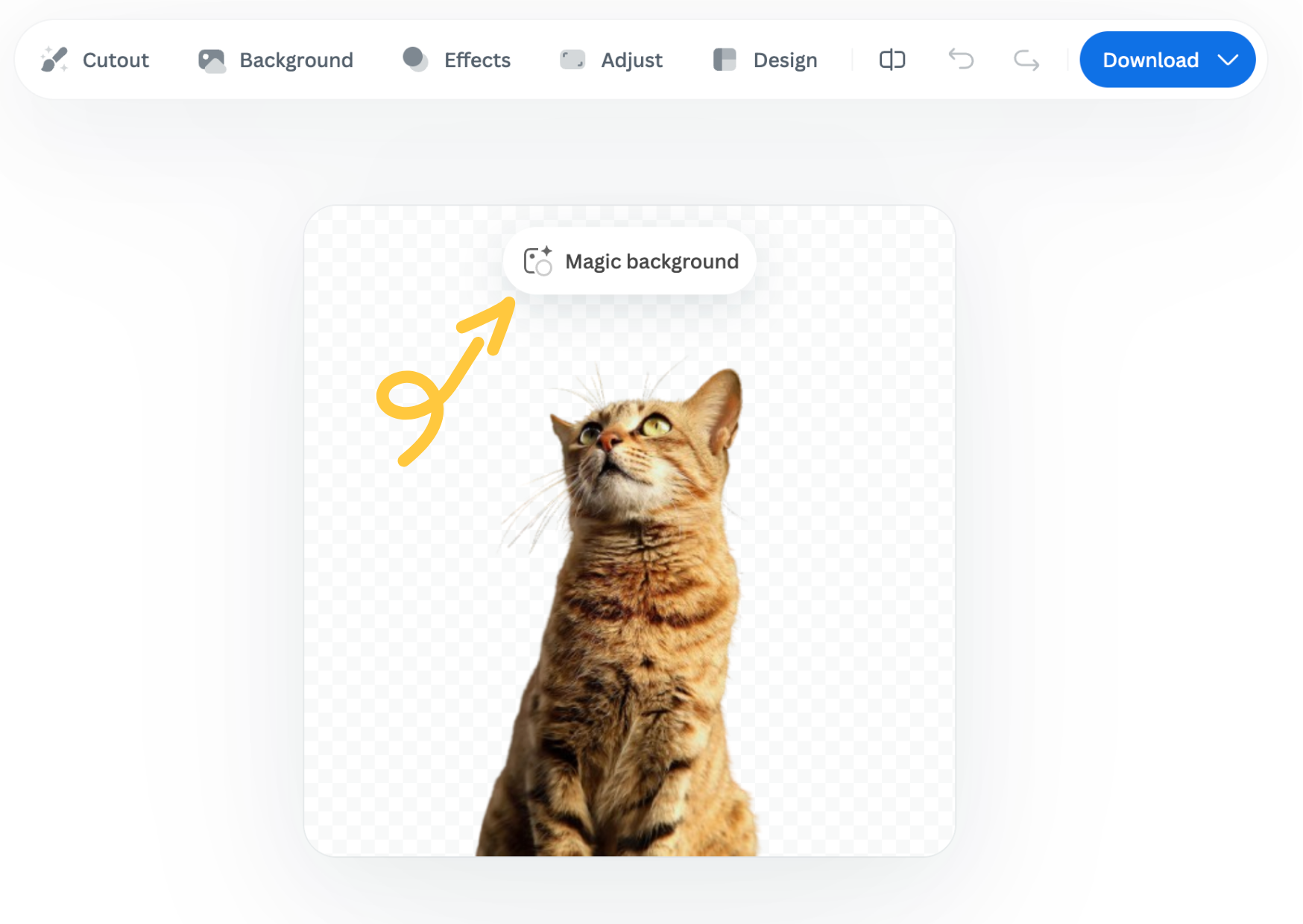
How to use it

  1. Pick an inspiration: Choose a background style from the available presets. This will be used as a starting point for your scene.

  2. Click “Generate background”: The AI analyzes your image and creates a background that fits your subject in terms of depth and color. Each match costs one credit.

  3. Want a different variation? Click “Generate again” to generate a new version based on the same background inspiration.

  4. Once you're happy with the result, you can download a free preview (up to 0.25 megapixels) or spend 1 credit to download the HD version.

Important notes

  • Each background generation costs 1 credit.

  • The Magic Background feature is currently available only in the remove.bg web editor.

  • Magic Background is currently in beta, and we welcome your feedback to help improve the tool. Let us know what you think!

Was this article helpful? Yes No
Thanks for your feedback.
  • Daha fazla bilgi

  • Tüm özellikler
  • Fotoğrafçılar
  • Pazarlama
  • Geliştiriciler
  • E-ticaret
  • Medya
  • Araba Bayileri
  • Kurumsal
  • Başarı hikayeleri
  • Araçlar ve API

  • API Belgeleri
  • Entegrasyonlar, araçlar ve uygulamalar
  • Photoshop Uzantısı
  • Windows / Mac / Linux
  • Android Uygulaması
  • Tasarım Şablonları
  • Destek

  • Yardım ve SSS
  • Bize ulaşın
  • İade
  • Platform Durumu
  • Kaynaklar
  • Şirket

  • Blog
  • Ortaklık Programı
  • Otomatik tasarım oluştur
  • Video Arka Planı Kaldırma
  • Kariyerler
  • Hakkımızda
  • Basın ve Ortaklıklar

© remove.bg, a Canva Austria GmbH brand

  • Hizmet Koşulları
  • Genel Hüküm ve Koşullar
  • Gizlilik Politikası
  • Çerez Politikası
  • Künye

Geri bildiriminiz için teşekkür ederiz.

Bu özelliği geliştirmemize yardımcı olmak ister misiniz? (isteğe bağlı)

  • Görseli paylaşarak remove.bg uygulamasını geliştirmemize yardımcı olabilirsiniz
  • Yapay Zekayı Eğitmemize Yardımcı Olun
  • Gelecekte benzer görsellerde daha iyi sonuçlar elde edin
Kaliteyi geliştirmek için bu görseli kullanmamızı istiyorsanız bu seçeneğini belirleyin
Kaliteyi geliştirmek için bu görseli kullanmamızı İSTEMİYORSANIZ bu seçeneğini belirleyin

Görselinizi remove.bg'yi geliştirmek için kullanacağız.

Görselinizi remove.bg'yi geliştirmek için KULLANMAYACAĞIZ.