Przejdź do głównej treści
General & Website
How to enhance your background with the new Magic Background feature

How to enhance your background with the new Magic Background feature

The Magic Background feature in the remove.bg editor lets you create high-quality, AI-generated backgrounds that blend seamlessly with your subject. Instead of just replacing the background, it builds a custom scene that takes into account your image’s perspective and colors, so the final result looks realistic and professional. There’s no need to write prompts—just a few clicks, and the AI handles the rest.

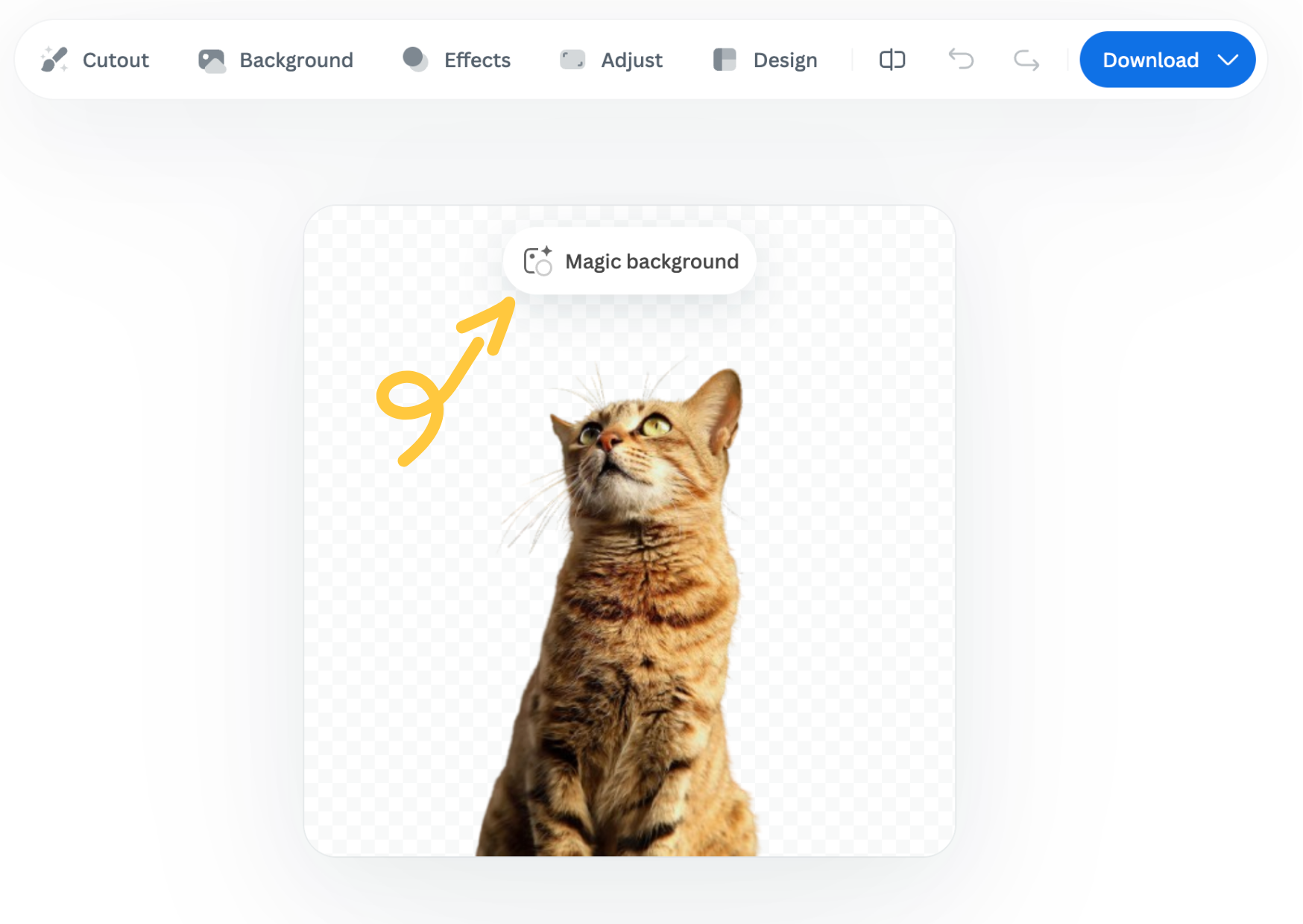
Where to find the Magic Background feature

You can find the Magic Background feature after uploading your image to remove.bg

  1. Upload your image.

  2. In the editor window, click “Magic background” to start using the feature.
How to use it

  1. Pick an inspiration: Choose a background style from the available presets. This will be used as a starting point for your scene.

  2. Click “Generate background”: The AI analyzes your image and creates a background that fits your subject in terms of depth and color. Each match costs one credit.

  3. Want a different variation? Click “Generate again” to generate a new version based on the same background inspiration.

  4. Once you're happy with the result, you can download a free preview (up to 0.25 megapixels) or spend 1 credit to download the HD version.

Important notes

  • Each background generation costs 1 credit.

  • The Magic Background feature is currently available only in the remove.bg web editor.

  • Magic Background is currently in beta, and we welcome your feedback to help improve the tool. Let us know what you think!

Was this article helpful? Yes No
Thanks for your feedback.
  • Dowiedz się więcej

  • Wszystkie funkcje
  • Fotografów
  • Marketingu
  • Deweloperów
  • E-commerce
  • Mediów
  • Dilerów samochodowych
  • Przedsiębiorstw
  • Historie sukcesu
  • Narzędzia i interfejs API

  • Dokumentacja interfejsu API
  • Integracje, narzędzia i aplikacje
  • Rozszerzenie programu Photoshop
  • Windows/Mac/Linux
  • Aplikacja na Androida
  • Szablony projektów
  • Wsparcie

  • Pomoc i często zadawane pytania
  • Skontaktuj się z nami
  • Zwroty
  • Stan platformy
  • Materiały
  • Firma

  • Blog
  • Program partnerski
  • Twórz projekty automatyczne
  • Usuwanie tła filmu
  • Praca
  • O nas
  • Prasa i współpraca

© remove.bg, a Canva Austria GmbH brand

  • Warunki świadczenia usługi
  • Ogólne warunki i postanowienia
  • Polityka prywatności
  • Zasady dotyczące plików cookie
  • Stopka

Dziękujemy za opinię!

Chcesz nam pomóc udoskonalić naszą usługę? (opcjonalnie)

  • Przekaż ten obraz, aby pomóc nam doskonalić usługę remove.bg
  • Naucz sztuczną inteligencję
  • W przyszłości będziesz uzyskiwać lepsze rezultaty w przypadku podobnych obrazów
Wybierz, jeśli chcesz, abyśmy użyli tego obrazu w celu poprawy jakości.
Wybierz, jeśli NIE chcesz, abyśmy użyli tego obrazu w celu poprawy jakości.

Twój obraz będzie użyty do poprawy usługi remove.bg.

Twój obraz NIE będzie użyty do poprawy usługi remove.bg.