Pāriet uz galveno saturu
General & Website
How to enhance your background with the new Magic Background feature

How to enhance your background with the new Magic Background feature

The Magic Background feature in the remove.bg editor lets you create high-quality, AI-generated backgrounds that blend seamlessly with your subject. Instead of just replacing the background, it builds a custom scene that takes into account your image’s perspective and colors, so the final result looks realistic and professional. There’s no need to write prompts—just a few clicks, and the AI handles the rest.

Where to find the Magic Background feature

You can find the Magic Background feature after uploading your image to remove.bg

  1. Upload your image.

  2. In the editor window, click “Magic background” to start using the feature.
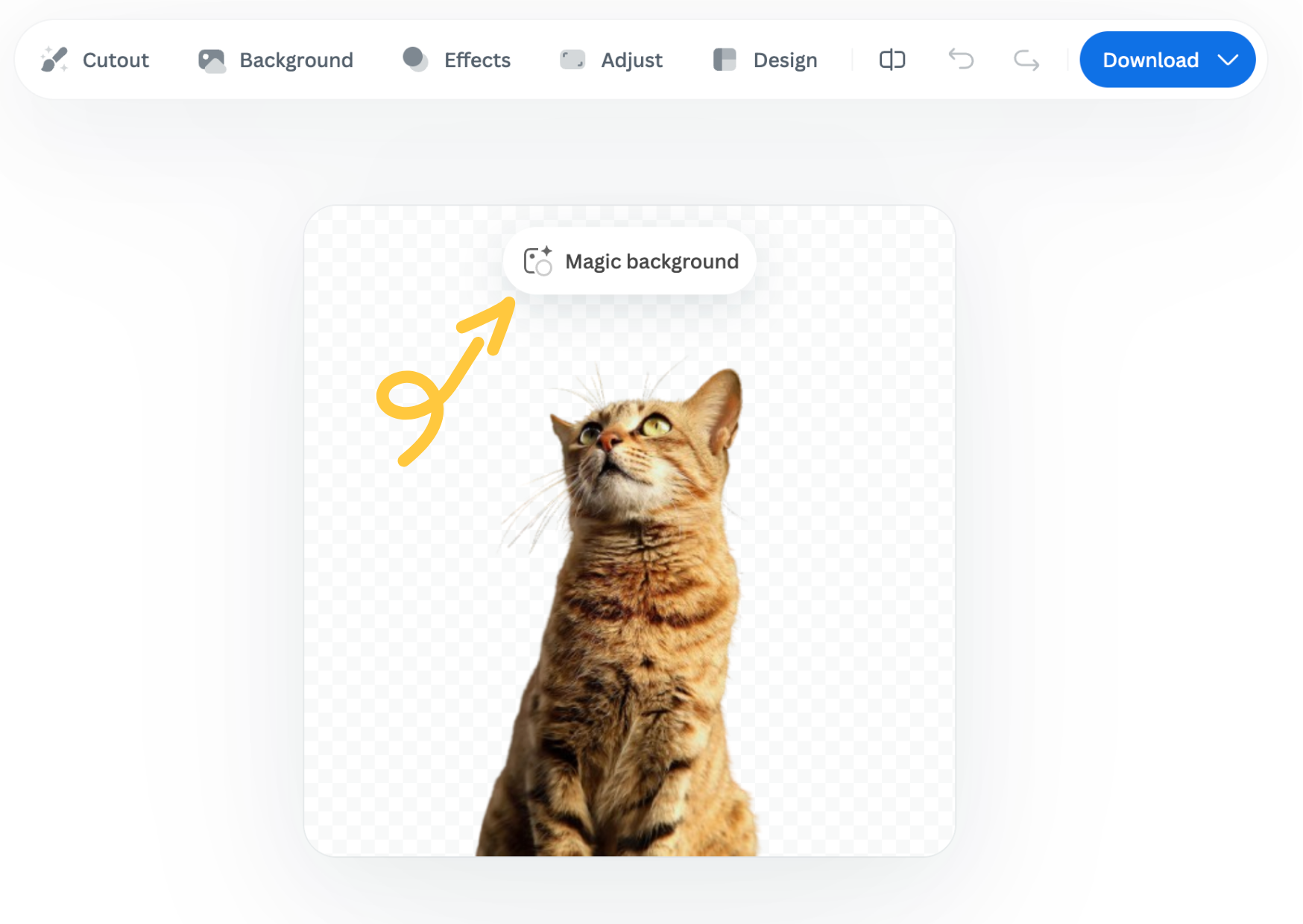
How to use it

  1. Pick an inspiration: Choose a background style from the available presets. This will be used as a starting point for your scene.

  2. Click “Generate background”: The AI analyzes your image and creates a background that fits your subject in terms of depth and color. Each match costs one credit.

  3. Want a different variation? Click “Generate again” to generate a new version based on the same background inspiration.

  4. Once you're happy with the result, you can download a free preview (up to 0.25 megapixels) or spend 1 credit to download the HD version.

Important notes

  • Each background generation costs 1 credit.

  • The Magic Background feature is currently available only in the remove.bg web editor.

  • Magic Background is currently in beta, and we welcome your feedback to help improve the tool. Let us know what you think!

Was this article helpful? Yes No
Thanks for your feedback.
  • Uzzināt vairāk

  • Visas funkcijas
  • Fotogrāfi
  • Mārketings
  • Izstrādātāji
  • E-komercija
  • Plašsaziņas līdzekļi
  • Auto izplatītāji
  • Uzņēmumi
  • Veiksmes stāsti
  • Rīki un API

  • API dokumentācija
  • Integrācijas, rīki un lietotnes
  • Photoshop paplašinājums
  • Windows/Mac/Linux
  • Android lietotne
  • Noformējumu veidnes
  • Atbalsts

  • Palīdzība un BUJ
  • Sazināties ar mums
  • Atmaksas
  • Platformas statuss
  • Resursi
  • Uzņēmums

  • Emuārs
  • Partneru programma
  • Izveidojiet automātiskus noformējumus
  • Videoklipu fona noņemšana
  • Karjeras
  • Par mums
  • Prese un partnerības

© remove.bg, a Canva Austria GmbH brand

  • Pakalpojumu sniegšanas noteikumi
  • Vispārējie noteikumi un nosacījumi
  • Privātuma politika
  • Sīkfailu politika
  • Izlaides ziņas

Paldies par atsauksmēm!

Vēlaties palīdzēt mums uzlabot pakalpojumus? (neobligāti)

  • Ļaujiet mums izmantot šo attēlu un palīdziet uzlabot remove.bg
  • Apmācīt mākslīgo intelektu
  • Iegūstiet labākus rezultātus līdzīgiem attēliem nākotnē
Izvēlieties, ja atļaujat izmantot šo attēlu kvalitātes uzlabošanas nolūkos.
Izvēlieties, ja NEVĒLATIES mums ļaut izmantot šo attēlu kvalitātes uzlabošanas nolūkos.

Jūsu attēls tiks izmantots turpmākiem remove.bg uzlabojumiem.

Jūsu attēls NETIKS izmantots turpmākiem remove.bg uzlabojumiem.