Preskoči na glavni sadržaj
General & Website
How to enhance your background with the new Magic Background feature

How to enhance your background with the new Magic Background feature

The Magic Background feature in the remove.bg editor lets you create high-quality, AI-generated backgrounds that blend seamlessly with your subject. Instead of just replacing the background, it builds a custom scene that takes into account your image’s perspective and colors, so the final result looks realistic and professional. There’s no need to write prompts—just a few clicks, and the AI handles the rest.

Where to find the Magic Background feature

You can find the Magic Background feature after uploading your image to remove.bg

  1. Upload your image.

  2. In the editor window, click “Magic background” to start using the feature.
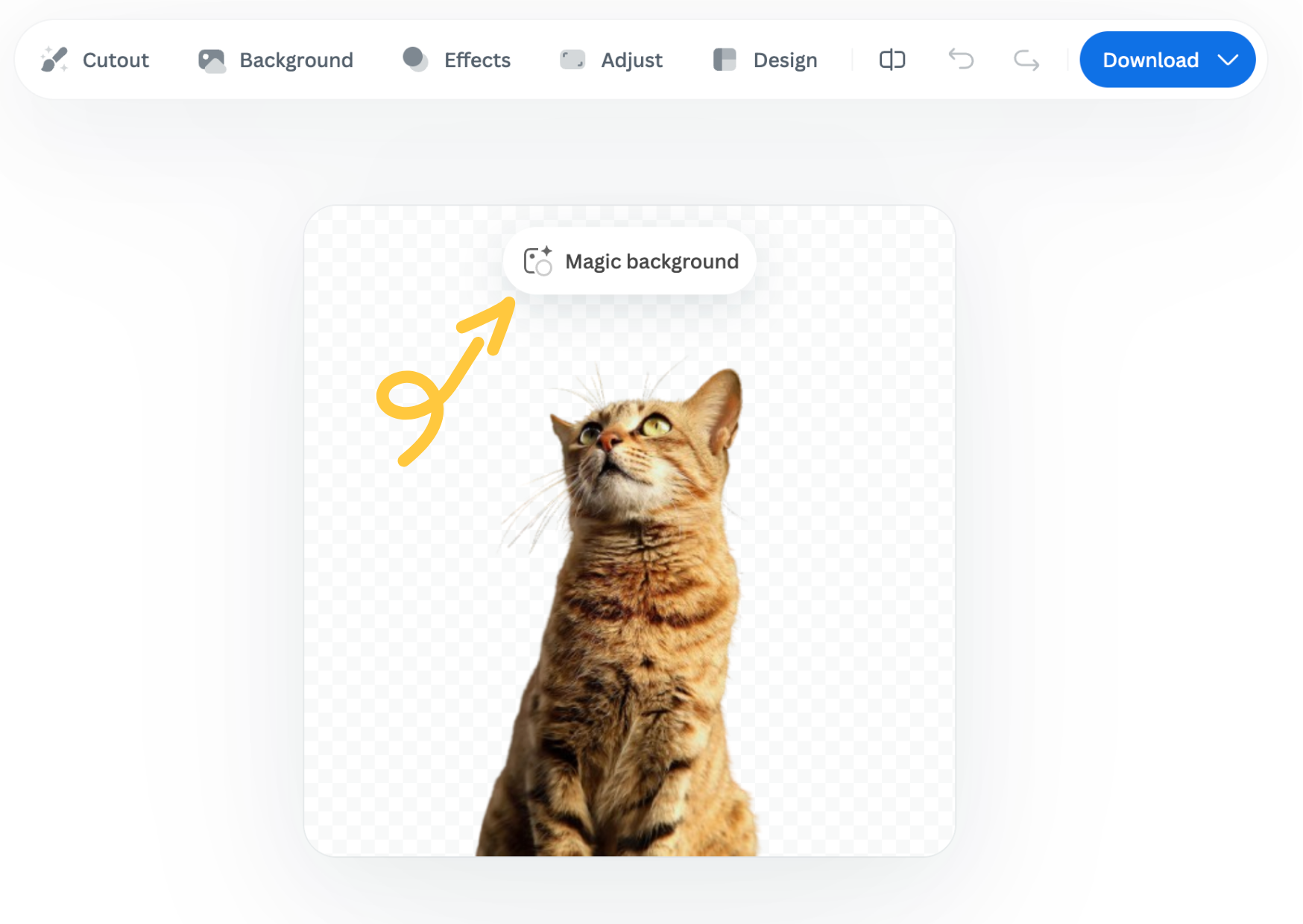
How to use it

  1. Pick an inspiration: Choose a background style from the available presets. This will be used as a starting point for your scene.

  2. Click “Generate background”: The AI analyzes your image and creates a background that fits your subject in terms of depth and color. Each match costs one credit.

  3. Want a different variation? Click “Generate again” to generate a new version based on the same background inspiration.

  4. Once you're happy with the result, you can download a free preview (up to 0.25 megapixels) or spend 1 credit to download the HD version.

Important notes

  • Each background generation costs 1 credit.

  • The Magic Background feature is currently available only in the remove.bg web editor.

  • Magic Background is currently in beta, and we welcome your feedback to help improve the tool. Let us know what you think!

Was this article helpful? Yes No
Thanks for your feedback.
  • Saznajte više

  • Sve značajke
  • Fotografe
  • Marketing
  • Razvojne inženjere
  • E-trgovinu
  • Medije
  • Autosalone
  • Velike tvrtke
  • Priče o uspjehu
  • Alati i API

  • Dokumentacija o API-ju
  • Integracije, alati i aplikacije
  • Proširenje za Photoshop
  • Windows / Mac / Linux
  • Aplikacija za Android
  • Dizajnirajte predloške
  • Podrška

  • Pomoć i najčešća pitanja
  • Obratite nam se
  • Povrati novca
  • Status platforme
  • Resursi
  • Tvrtka

  • Blog
  • Program za partnere
  • Kreirajte automatske dizajne
  • Uklanjanje pozadine videozapisa
  • Radna mjesta
  • O nama
  • Tisak i partnerstva

© remove.bg, a Canva Austria GmbH brand

  • Uvjeti pružanja usluge
  • Opći uvjeti i odredbe
  • Pravilnik o zaštiti privatnosti
  • Pravilnik o kolačićima
  • Impresum

Hvala na povratnim informacijama!

Želite li nam pomoći da se poboljšamo? (nije obavezno)

  • Pridonesite slici i pomognite nam da poboljšamo remove.bg
  • Naučite umjetnu inteligenciju
  • Poboljšajte rezultate za slične slike u budućnosti
Odaberite ako želite da upotrebljavamo ovu sliku za poboljšanja kvalitete.
Odaberite ako NE ŽELITE da upotrebljavamo ovu sliku za poboljšanja kvalitete.

Vaša će se slika upotrebljavati za buduća poboljšanja značajke remove.bg.

Slika se NEĆE upotrebljavati za buduća poboljšanja značajke remove.bg.