Zum Hauptinhalt springen
General & Website
How to enhance your background with the new Magic Background feature

How to enhance your background with the new Magic Background feature

The Magic Background feature in the remove.bg editor lets you create high-quality, AI-generated backgrounds that blend seamlessly with your subject. Instead of just replacing the background, it builds a custom scene that takes into account your image’s perspective and colors, so the final result looks realistic and professional. There’s no need to write prompts—just a few clicks, and the AI handles the rest.

Where to find the Magic Background feature

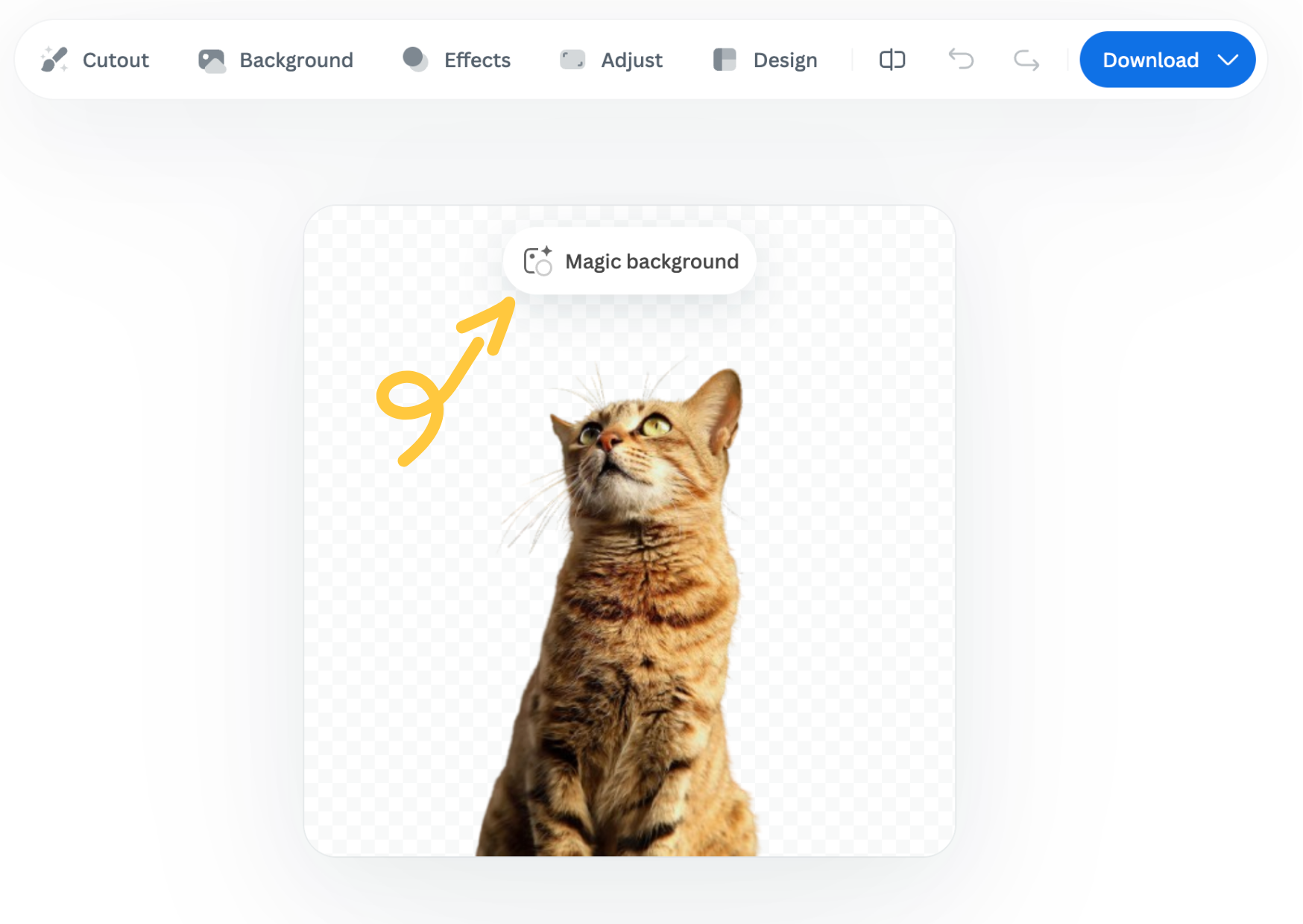
You can find the Magic Background feature after uploading your image to remove.bg

  1. Upload your image.

  2. In the editor window, click “Magic background” to start using the feature.
How to use it

  1. Pick an inspiration: Choose a background style from the available presets. This will be used as a starting point for your scene.

  2. Click “Generate background”: The AI analyzes your image and creates a background that fits your subject in terms of depth and color. Each match costs one credit.

  3. Want a different variation? Click “Generate again” to generate a new version based on the same background inspiration.

  4. Once you're happy with the result, you can download a free preview (up to 0.25 megapixels) or spend 1 credit to download the HD version.

Important notes

  • Each background generation costs 1 credit.

  • The Magic Background feature is currently available only in the remove.bg web editor.

  • Magic Background is currently in beta, and we welcome your feedback to help improve the tool. Let us know what you think!

Was this article helpful? Yes No
Thanks for your feedback.
  • Mehr erfahren

  • Alle Funktionen
  • Fotografen
  • Marketing
  • EntwicklerInnen
  • Ecommerce
  • Medien
  • Autohäuser
  • Unternehmen
  • Erfolgsgeschichten
  • Tools & API

  • API Dokumentation
  • Integrationen, Tools und Apps
  • Photoshop Erweiterung
  • Windows / Mac / Linux
  • Android App
  • Designvorlagen
  • Support

  • Hilfe & FAQs
  • Kontakt
  • Rückerstattungen
  • Plattformstatus
  • Ressourcen
  • Unternehmen

  • Blog
  • Affiliate-Programm
  • Erstelle automatische Designs
  • Video Hintergrund-Entfernung
  • Karriere
  • Über uns
  • Presse und Partnerschaften

© remove.bg, a Canva Austria GmbH brand

  • Nutzungsbedingungen
  • Allgemeine Geschäftsbedingungen
  • Datenschutzerklärung
  • Cookie-Richtlinie
  • Impressum

Danke für dein Feedback!

Möchtest du uns helfen, besser zu werden? (optional)

  • Stelle dieses Bild zu Verfügung & hilf uns remove.bg zu verbessern
  • Lerne der künstlichen Intelligenz, wie's geht
  • Erhalte bessere Ergebnisse für ähnliche Bilder in Zukunft
Wählen wenn du möchtest dass wir dieses Bild für Qualitätsverbesserungen verwenden.
Wählen wenn du NICHT möchtest dass wir dieses Bild für Qualitätsverbesserungen verwenden.

Dein Bild wird für zukünftige Verbesserungen von remove.bg verwendet.

Dein Bild wird NICHT für zukünftige Verbesserungen von remove.bg verwendet.