Passer au contenu principal
Product Updates

Jan 31, 2023

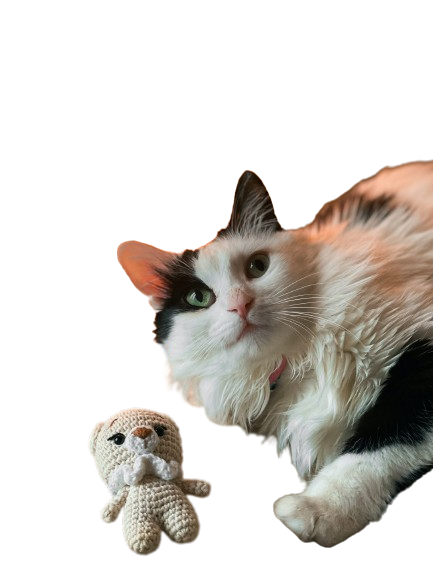
Introducing remove.bg’s New Magic Brush Feature

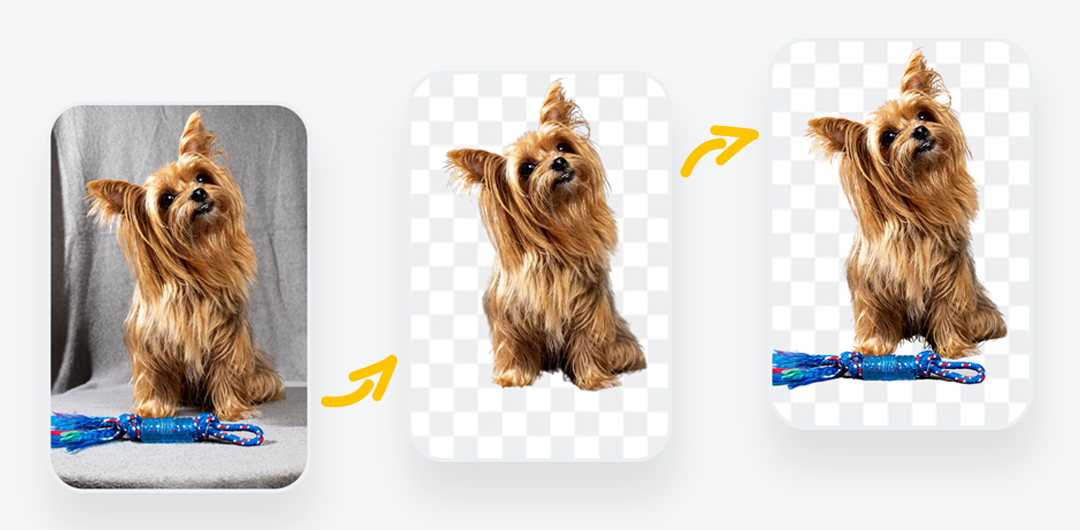
Have you ever been in a situation where you wanted to remove an image background, but the AI also deleted a specific object or person you wanted to keep? Or, on the contrary, the AI didn’t remove a part of the background you wanted to get rid of. Luckily, you won’t have to deal with these issues anymore.

Get to know remove.bg’s brand-new feature, Magic Brush, which allows you to extract objects from images by deleting or restoring them in just a few seconds. 

Incredible, right? 

What does this mean for you?

You will be able to:

  • Flawlessly remove the background from your photo.

  • Erase parts of the photo you wish to get rid of.

  • Restore parts of the photo you wish to keep.

  • All of this by simply circling around the object you wish to remove or restore.

  • The AI will do the rest!

How do you use the Magic Brush tool?

Simply go to the remove.bg website, and:

1. Upload or drag and drop a photo.

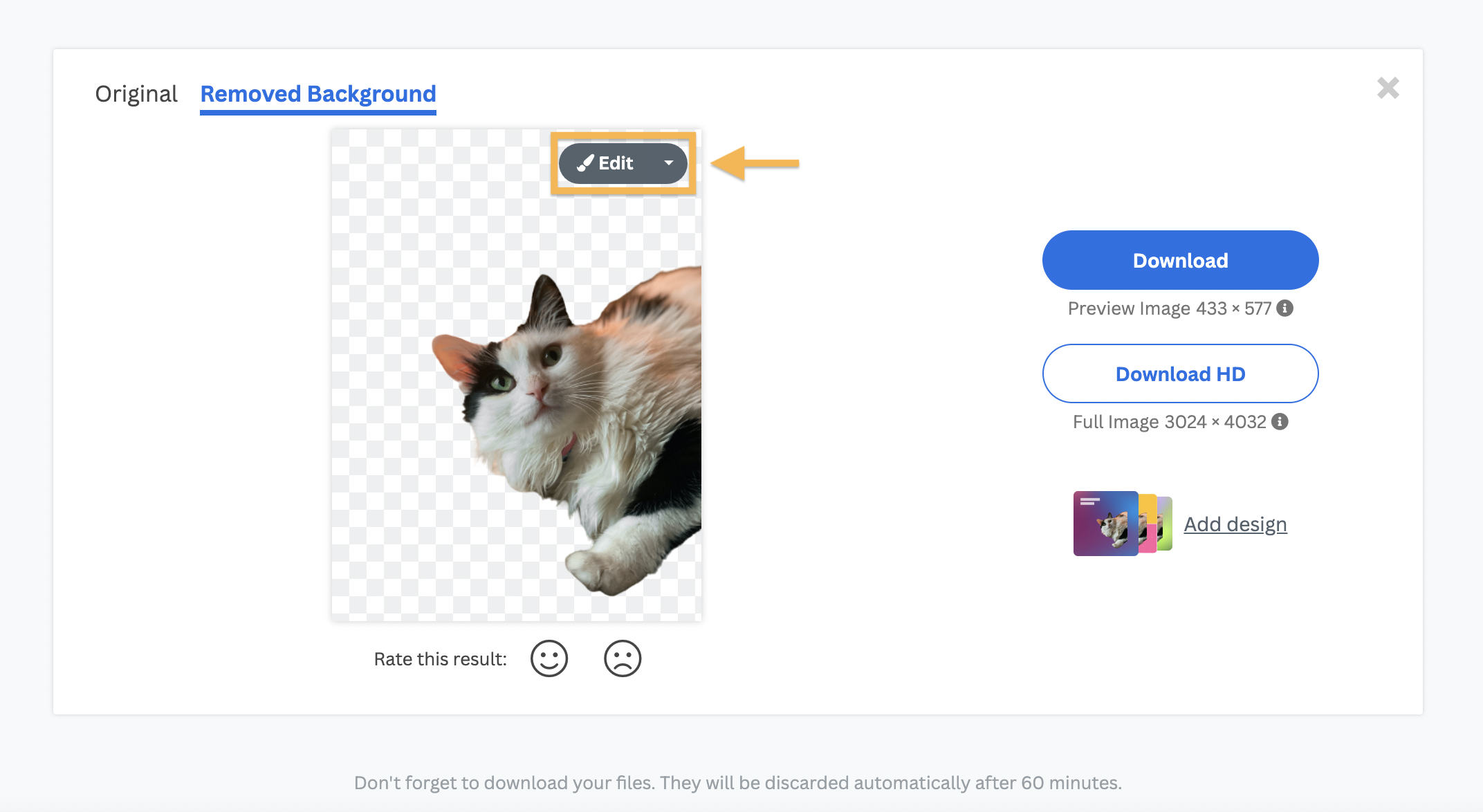
2. The background will be automatically removed.

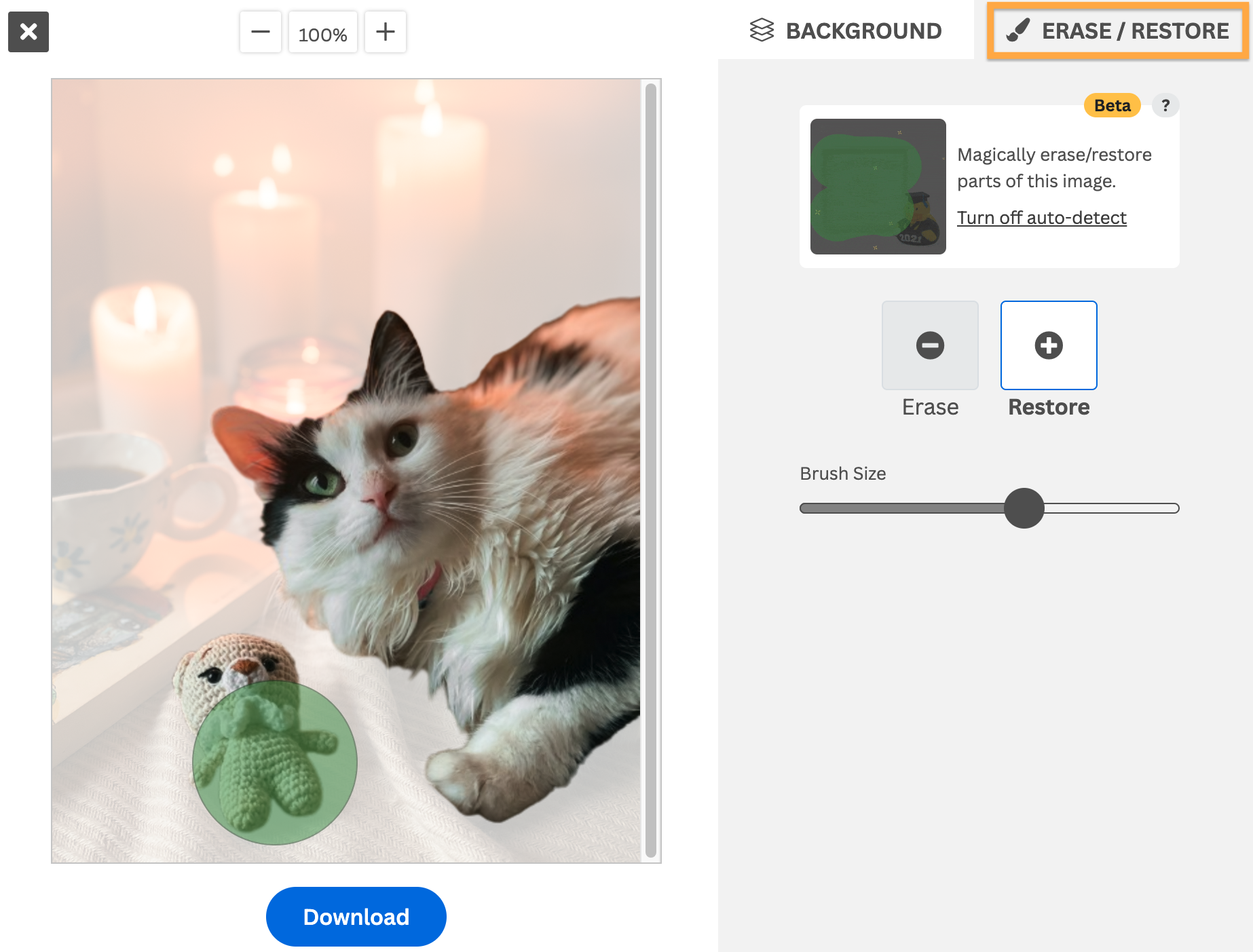
3. Click on Erase/Restore.

4. Move the cursor over any part of the image you want to remove or restore.

5. The AI will do all the work for you in great detail.

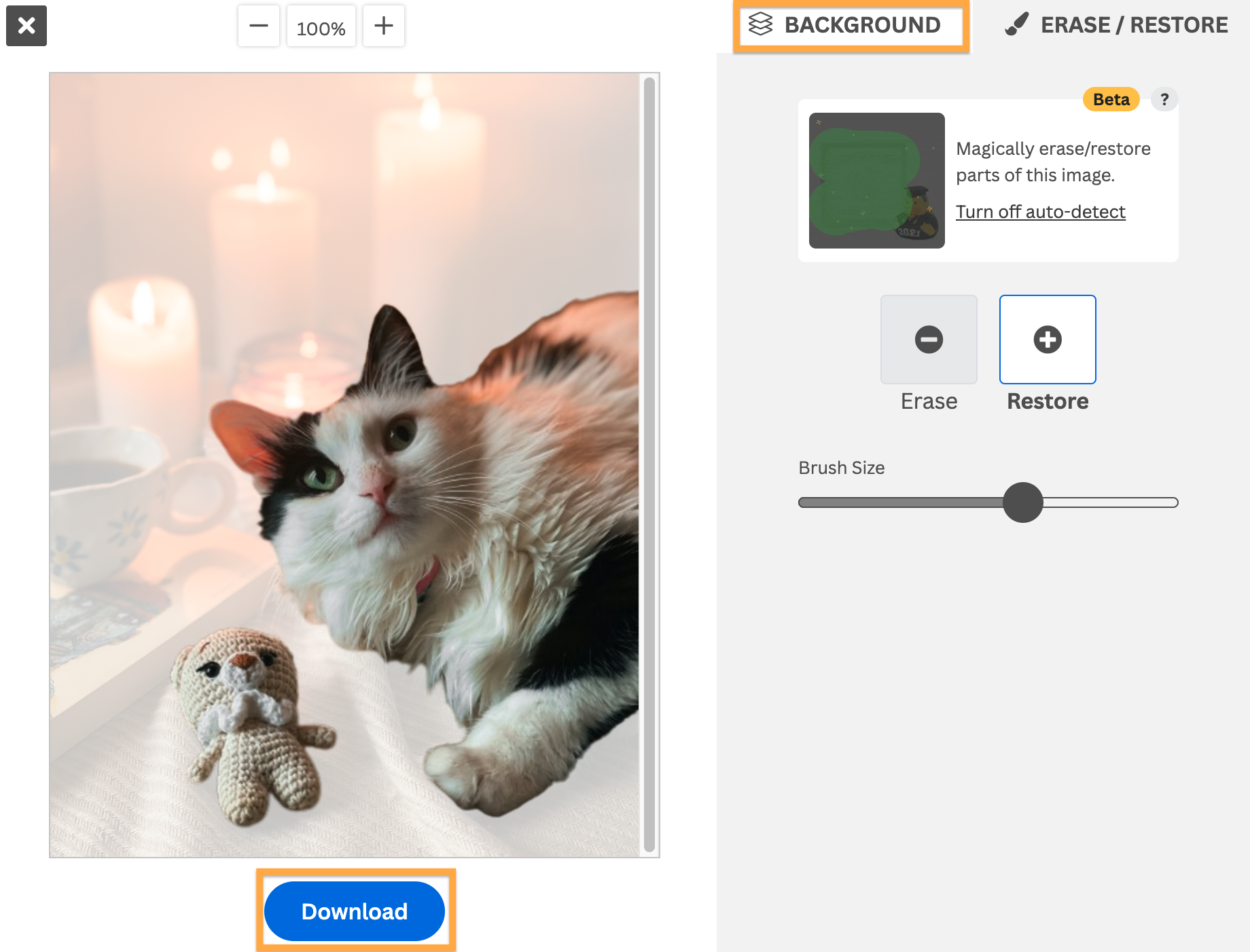
6. If you want to choose a new background for your image, you can click on Add Background and choose from our image library. Or you can upload your own. Otherwise, leave it transparent.

7. That’s it! You can now download your image with a new or transparent background without its quality being compromised.

For more detailed information about how to use the Magic Brush, you can visit our Help Center

Want to try it out yourself and magically remove or restore parts of your image?

Tous les articles de blog

Commentaires

Tavis 29 août 2023
Do you have any plans to support the api for magic brush feature
Pnsh 17 août 2023
I am trying
test 14 février 2023
Nice
Ashk 7 février 2023
Do you support the api for magic brush feature?
Viktoria Officiel 8 février 2023
Hi there! The magic brush feature is not supported for the API. If you have any questions, feel free to reach out to our support team via [email protected].
GOVINDA 31 janvier 2023
THIS FEATURE SI NOT WORKING
Viktoria Officiel 8 février 2023
Hi there! We're sorry to hear that! Could you please reach out to our support team via [email protected]? They will be happy to help!
  • En savoir plus

  • Tous les outils
  • Photographes
  • Marketing
  • Développeurs
  • Commerce électronique
  • Média
  • Concessionnaires automobiles
  • Entreprise
  • Success stories
  • Outils et API

  • Documentation API
  • Intégrations, outils et apps
  • Extension Photoshop
  • Windows/Mac/Linux
  • App Android
  • Modèles de conception
  • Assistance

  • Aide et FAQ
  • Contactez-nous
  • Remboursements
  • Statut de la plateforme
  • Ressources
  • Entreprise

  • Blog
  • Programme d'affiliation
  • Créez des designs automatiquement
  • Suppression d'arrière-plan pour vidéo
  • Carrière
  • À propos de nous
  • Presse et partenariats

© remove.bg, a Canva Austria GmbH brand

  • Conditions d'utilisation
  • Conditions générales
  • Politique de confidentialité
  • Politique des cookies
  • Imprimer

Merci pour vos commentaires !

Vous-voulez nous aider à nous améliorer ? (facultatif)

  • Fournissez cette image et aidez-nous à améliorer remove.bg
  • Enseignez l'intelligence artificielle
  • Obtenez de meilleurs résultats pour des images similaires dans le futur
Choisissez si vous souhaitez utiliser cette image pour des améliorations de qualité.
Choisissez si vous ne voulez PAS que nous utilisions cette image pour des améliorations de qualité.

Votre image sera utilisée pour des améliorations futures de remove.bg.

Votre image ne sera PAS utilisée pour des améliorations futures de remove.bg.